

Grasshopper is a coding education application initially developed by Google. It helps beginner coders learn JavaScript by allowing them to solve coding challenges. This helps to make coding easier to those with little or no coding experience. You can solve coding challenges, learn practical programming, and improve your knowledge of JavaScript. The app includes visual coding challenges and short lessons. Unfortunately, Grasshopper has now been discontinued by Google and can no longer be used. Those wanting to learn programming can look at other options such as freeCodeCamp and Codecademy or even use AI tools such as Replit AI.
What is Grasshopper?
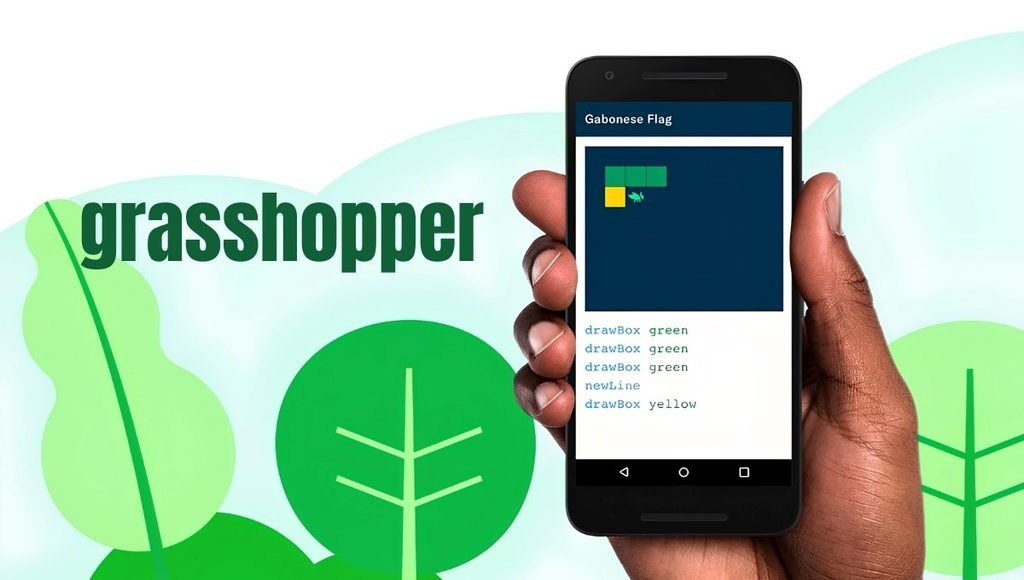
Grasshopper is a free coding education application developed by Google’s experimental products team. The main aim of the application is to teach new coders the fundamentals of coding. The application mostly focuses on JavaScript, a popular language to use when developing websites. It contains a variety of coding challenges that help you learn the fundamentals of coding such as variables, functions, loops and conditional statements.
It is great for new coders, students, or those wanting to get into coding. The app has a simple user interface and short lessons. Whilst Grasshopper has helped many new coders get into coding, it was discontinued in 2023. So we would recommend using one of the currently available coding platforms.
Key Features
- Interactive Lessons: Grasshopper included interactive lessons to help you learn coding. You would solve puzzles and interact with the coding challenges. This helps new coders learn the basics of logical coding.
- JavaScript Fundamentals: Grasshopper mainly focused on teaching JavaScript. This is a popular language to use when creating interactive websites. You can learn the basics of coding such as variables, functions, loops, and conditional statements.
- Visual Challenges: Grasshopper contained visual coding challenges. You can interact with the coding instructions and solve problems. This makes it easier to start coding as it is visual.
- Short Lessons: The lessons were short and quick to complete. This means you can fit in some coding practice during your breaks. Short lessons can help you get into a routine of learning.
- Simple User Interface: Grasshopper had a simple user interface to help those with no coding experience. It was very simple to use, so new coders could focus on solving the problems.
- Progressive Learning: Grasshopper contained progressive lessons. This helped you to learn coding from the basics up. This helps you to get into a routine of practicing coding.
- Mobile Friendly: Grasshopper was designed to make coding easy to practice on mobile devices. However, as it has been discontinued, you can no longer use these features.
How to Learn Coding Effectively Using Grasshopper Alternatives
You can use similar approaches to learn how to code.
- Learn the Basics: Start with the basics of coding, including variables, data types, operators, conditionals, loops and functions.
- Practice Every Day: Practice coding for 20 to 30 minutes every day. This will help improve your logical thinking.
- Know What You Are Doing: Do not just copy code from tutorials. Understand what each line of code is doing.
- Try Easy Problems: Try coding any easy problems that involve calculations, strings, arrays, and easy decisions.
- Try Easy Projects: Try making some easy applications. A calculator or quiz will help you practice multiple programming concepts.
- Learn How to Debug: Know how to debug common errors. Debugging is an important part of programming.
- Try Advanced Concepts: Once you have mastered the basics of coding, try objects, array methods, asynchronous JavaScript and web fundamentals.
- Save Your Projects: Make sure to save any projects you have made. Organise your code. This can help show your practical skills to future employers.
Who should use Grasshopper?
- Complete Beginners: If you are a complete beginner to coding, then start with a beginner-friendly platform. These platforms will help you understand programming concepts using simple examples. This will help you understand programming logic.
- Students: Students can use coding platforms to help them with their school/college learning. This helps improve problem-solving skills. You can also learn JavaScript to help give you a good foundation in web development and other programming concepts.
- Computer Science Students: Computer Science students can use interactive coding exercises to help them revise programming concepts. However, they should also look at learning data structures, algorithms, object-oriented programming, databases, and other subjects that may be required.
- Web Developers: If you are interested in becoming a web developer, then start with JavaScript. Once you understand the basics, you can start to learn HTML and CSS. Once you understand the basics, you can create interactive websites and look at front-end frameworks.
- Career Changers: If you are looking to change careers, then try some beginner courses to get an idea of programming. Eventually, you should move on from beginner courses and create practical projects.
Applications of Grasshopper-Style Coding Platforms
- Learn Basics of Programming: Beginner coding platforms can help you understand the basics of coding, including variables, loops, functions, and conditionals. This will help you build up to more complex coding concepts.
- Improve Logical Thinking Skills: Coding challenges will help you learn to break down problems into smaller steps. This will help you create solutions in a logical way. This is useful when coding and in many other technical areas.
- Prepare for Web Development: Using JavaScript resources will help prepare you for front-end development. You can also learn HTML, CSS, browser APIs, and modern JavaScript tools to improve your knowledge.
- Practice Coding: Easy coding exercises will help you create a daily coding habit. This will help you get used to coding syntax and logical problem-solving.
- Find Out If You Like Coding: Using beginner coding resources will help you find out if you like coding. Once you get interested, you can move on to more detailed training.
Pros and Cons of Grasshopper
| Pros | Cons |
| Originally free to use | Discontinued by Google in 2023 |
| Designed for complete beginners | No longer available as an active official service |
| Focused on JavaScript fundamentals | Covered only a limited portion of programming |
| Used interactive coding puzzles | Not suitable as a complete professional development course |
| Offered short learning sessions | Did not replace advanced coding practice |
| Provided a simple learning experience | Users need alternative resources today |
Best Alternatives to Grasshopper
- freeCodeCamp: freeCodeCamp offers free coding lessons. You can learn web development, JavaScript, Python, databases and much more. This is a great resource for beginners.
- Codecademy: Codecademy offers interactive coding lessons for JavaScript, Python, web development, and much more. There are free and paid versions.
- Khan Academy: Khan Academy has lots of educational resources for computer programming. The programming lessons will help beginners understand the basics.
- W3Schools: W3Schools offers tutorials and examples for JavaScript, HTML, CSS, Python, SQL, and much more. This will help you quickly understand coding concepts.
- Scrimba: Scrimba offers interactive coding lessons. Particularly for web development. You can code whilst learning. Some courses are free, and some are paid depending on the course and plan you choose.
Is Grasshopper Safe and Worth Using?
Grasshopper was a well-known beginner coding app; however, it was discontinued by Google in 2023. Be wary of any unofficial downloads or websites claiming to offer the original active version. However, if you used Grasshopper before, then it is a good way to start coding. It uses easy coding exercises and regular practice to help you build up to practical projects. Now choose an active alternative to help you reach your goals, within your budget and learning style.
Conclusion
Grasshopper was a beginner-friendly coding education app. It used interactive lessons, puzzles, and easy coding exercises to help you learn JavaScript. This helped you understand the basics of programming without needing much technical knowledge or a complicated setup.
Unfortunately, Grasshopper was discontinued by Google on the 15th June 2023. As a new learner, you should choose an active alternative such as freeCodeCamp, Codecademy, Khan Academy, W3Schools, or Scrimba.
The best way to learn how to code is to use structured lessons, regular practice, and practical projects. Start with the basics, understand the logic behind your code, and build up to creating applications to show your skills.
FAQs
A1. No, Grasshopper was discontinued by Google on the 15th June 2023.
A2. Yes, the original Grasshopper app was free.
A3. Grasshopper mainly teaches the basics of JavaScript using interactive lessons.
A4. A great alternative would be freeCodeCamp, as it offers free coding lessons and practical projects. Other alternatives include Codecademy, Khan Academy, W3Schools, and Scrimba.
A5. Yes! There are many platforms available now that offer beginner -friendly coding courses, interactive lessons, tutorials and practical projects.