

Adobe QR Code Generator is an easy-to-use online QR code generator, which allows users to quickly generate QR codes with website links. Businesses, marketers, creators, students, restaurants, event organizers, and individuals are now widely using QR codes to link offline materials to digital content. People can use a QR code to scan onto their smartphone and get to the website link without having to type it in. Adobe offers QR code generation as a feature of Adobe Express, which means it can be done by anyone—even those who don’t have the professional design skills. This article will provide complete information about Adobe QR Code Generator.
What Is Adobe QR Code Generator?
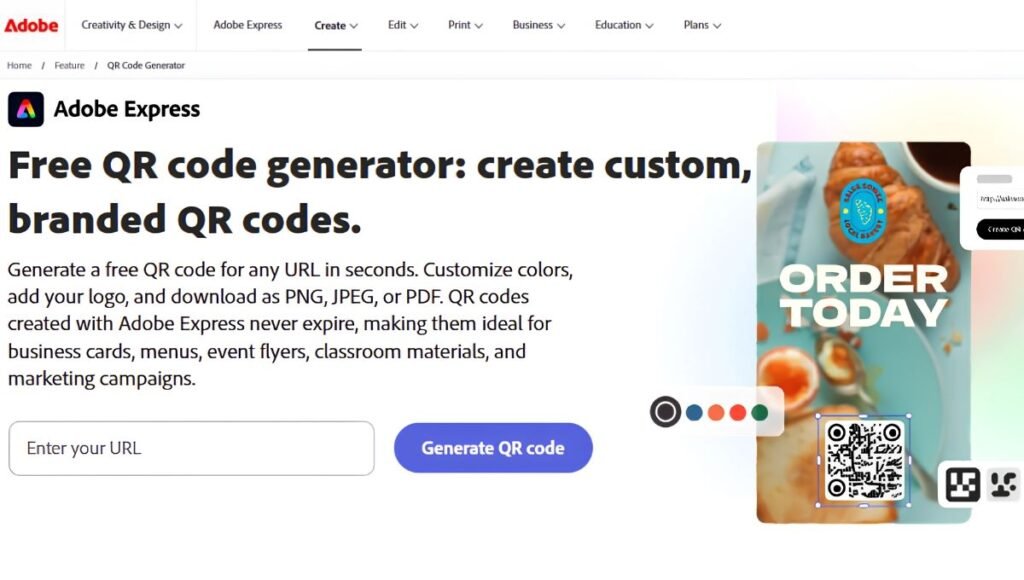
The Adobe QR Code Generator is a QR code creation tool that’s part of Adobe Express. It turns a website address into a QR code that can be set over various kinds of designs and marketing materials. QR Code is a two-dimensional barcode consisting of square blocks of black and white or blocks with other colors. Scanning the code with a smartphone camera instantly retrieves its stored information. When used for website QR codes, this typically requires opening a certain website page in the mobile phone’s browser. But with Adobe Express, it is made easy. Users don’t have to be a programmer or have a background in professional graphic design. Once they’ve generated the code, they can also add it to a larger project using Adobe Express’s design capabilities.
How to Create a QR Code using Adobe
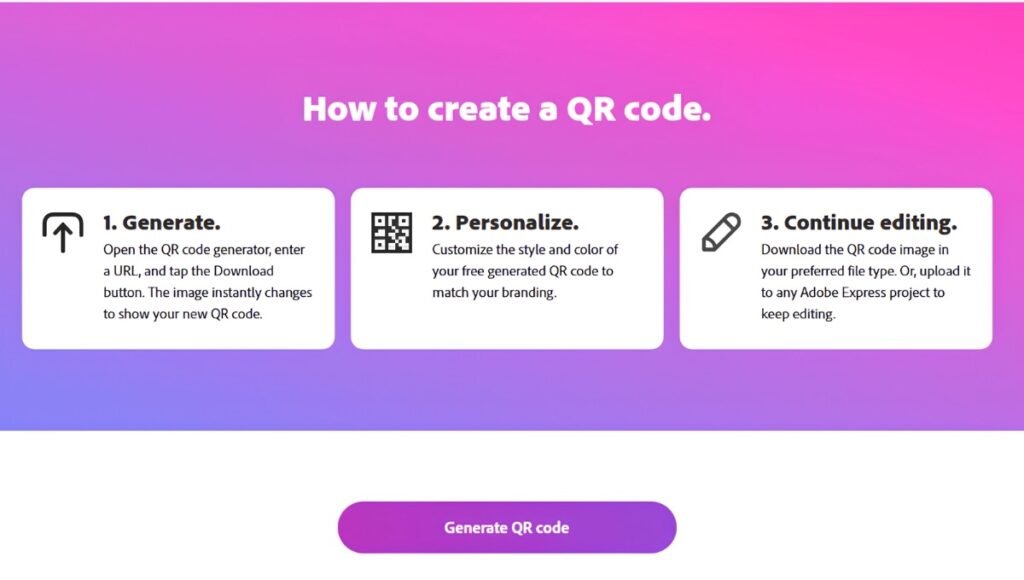
Making a QR code with Adobe express is fairly easy. The basic process is as follows:
- Step 1: To get started, open Adobe Express. Go to Adobe Express and access its QR code generator. The tool’s easy-to-use, online design lets users jump right in without creating a complex project from scratch.
- Step 2: Put Your Website URL. Type the full URL of the website you would like people to visit once they have scanned the QR code. Double-check the URL as it could lead visitors to the wrong page if it is entered incorrectly.
- Step 3: Create QR Code. Enter the URL and click on generate to produce the QR code. Adobe Express turns the web address into a scannable QR code pattern.
- Step 4: Make the QR Code your own. Users can customize the QR code using the options available in Adobe Express to ensure it aligns with their branding or design. You might be able to modify components like visual style and color. But, do not make the QR code too difficult to scan.
- Step 5: Download QR code. After generating and verification QR code download it in an appropriate image format. This can then be inserted in printed or digital resources.
Adobe QR Code Design Features
One of the handy features of the Adobe QR Code Generator is that it can be customized. Users may create a QR code that is more visually consistent with their brand than is standard with a black and white code.
- Color Customization: Users can change the QR code’s color to match their brand or design. It can be beneficial for companies that wish to have QR codes that are consistent with their branding. But, don’t make appearances more important than readability. The QR code should have good contrast to the background to be scanned easily.
- Style Customization: You can tweak the appearance of QR-code elements in Adobe Express. Users can customise the appearance of dots and the corners marker areas to make them look more unique.
- Logo and Branding: Using branding can make a QR code look more professional. A company might wish to have its QR code play naturally with the logo, colors, typography and overall look. Logos and decorative elements should be used sparingly however. Overcovering too much of the QR pattern may make it hard to scan the QR code.
- Frames and the surrounding design: You can also add QR codes to a larger Adobe Express design, combining them with text, images, backgrounds, icons, and calls to action. For instance, a QR code on a poster might be “Scan to Learn More” or “Scan for Menu.” Explicit instructions can motivate people to engage with the code.
Supported Uses of Adobe QR Codes
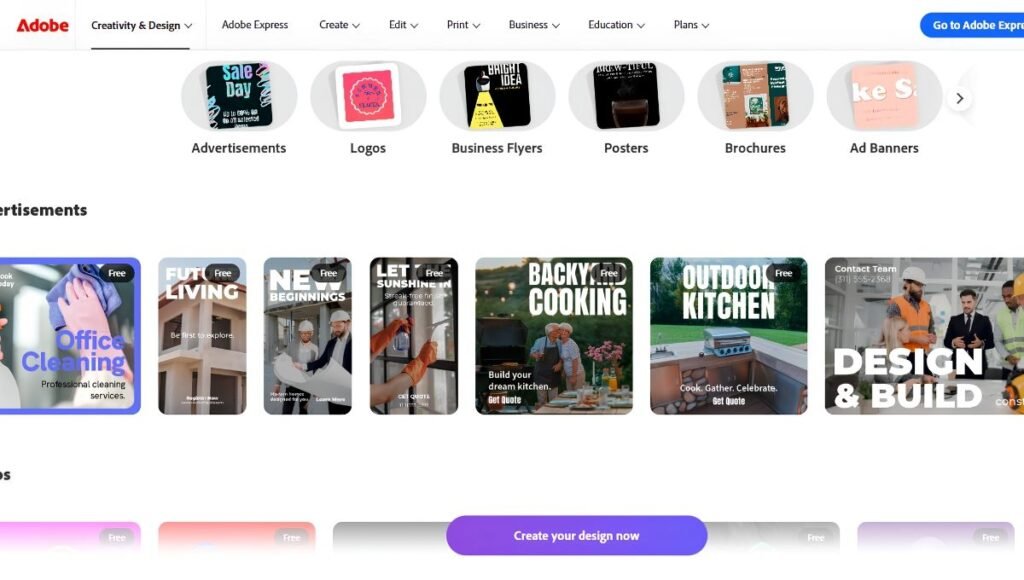
You can apply QR codes generated with Adobe in many situations.
- Business Cards: You can put the QR code on a business card to direct customers to a website, portfolio, social media page, contact page, or other digital business information when they scan it.
- Restaurant Menus: QR codes can be placed on tables, counters, signs, receipts or print-outs in restaurants or cafes. The code will be scanned by the customer and lead them to an online menu.
- Posters and Flyers: QR codes can help make print advertising more interactive. When someone sees a poster, they can scan it, and take them straight to the website, promotional page, registration form or product page.
- Product Packaging: Companies can place QR codes on packaging to provide additional information, including instructions, product demonstrations, warranty terms, customer service details, or promotional offers.
- Events: QR codes are great for event registration, timetables, information about the area, event tickets, event websites, feedback forms and promotional campaigns.
- Social Media Marketing: A QR code can bridge offline and online audiences with social media profile or online campaigns. Useful for posters, business cards, advertising, packaging and event signage.
- Feedback Forms: Businesses can use QR codes on receipts, tables, packaging, brochures, or promotional materials to guide consumers to feedback surveys.
- Brochures and PDFs: QR codes can be printed on brochures and electronic documents to offer viewers further information online. A brochure might have a QR Code that connects to a product demonstration area, company website, video or registration page.
Is Adobe QR Code Generator Free?
Adobe Express provides the option to generate a QR code for free, which means it’s possible to use QR codes without having to purchase a premium design subscription. It can be helpful for students, small businesses, content creators, freelancers and anyone who just wants a basic QR code. Adobe Express offers both free and paid features, with specific design functionality depending on your plan or tool. For users who need sophisticated design capabilities, they should verify the feature availability of Adobe at the present time. In many day-to-day situations the free functionality would be enough to create a basic website QR code.
Is there an expiration date for an Adobe QR Code?
One of the major factors that you should consider while picking a QR code generator is whether the generated QR code is time-sensitive or not. Adobe says their QR code generator creates QR codes that are “not expiring”. But there is an important difference between the QR code and the web page it redirects to.
Even though the QR code may still function, the destination page may be deleted, updated, or otherwise unavailable. The URL is no longer valid, scanning the QR code will not yield the desired outcome. So then, companies should make sure to keep the page at the receiving end open for the duration of the QR code’s usage.
Adobe QR Code Generator Features
The Adobe QR Code Generator offers several handy features for both businesses and individuals.
- Generate QR codes easily: The main benefit is that it’s very easy to make. Users don’t need to be tech-savvy to create a QR code from a link.
- Customization: QR codes don’t have to be exactly the same. Adobe Express offers design options that enable you to create a QR code to better serve a specific project.
- Easy Download: After generating the QR code, users can copy it and incorporate it into their own projects or marketing strategies.
- Adobe Express Integration: One big advantage is that it integrates with Adobe Express. Users can use their QR codes in larger designs rather than in an external graphic-design application.
- Print and Digital Use suitable: QR codes can be utilized on printed and electronic resources. Some examples are QR codes on posters, packaging, menus, brochures, social media graphics and ads.
Adobe QR Code Generator Benefits
The benefits of Adobe QR Code Generator include:
Users might want to use Adobe Express to create QR codes for a variety of reasons.
- Beginner-Friendly: Even those who are not familiar with graphic-design software can use this interface to create QR codes.
- Saves Time: Users don’t need to use complicated software or make a QR code by hand, as they can make a QR code online within a short period of time.
- Useful for Branding: Businesses can integrate QR codes into their marketing designs with customization options.
- Works with Adobe Express Designs: For those people who are already making marketing content with Adobe Express, it’s easy to incorporate QR codes into their projects.
- Versatile Applications: You can link the QR code to a variety of media, such as brochures, business cards, menus, ads, posters, and digital graphics.
Tips for Creating a Scannable QR Code
Creating a QR code is just the beginning. It’s also crucial to ensure that it can be scanned quickly.
- Maintain Good Contrast: The QR code should be of a high enough contrast with the background. Don’t use shades that are very similar to each other.
- Keep it Big, Just Big Enough: Printed QR-codes might be difficult to be recognized by the camera of a smartphone if they are too small. Always take account of the scanning distance and final size.
- Do not make too many changes to the design: Customizing QR codes can make them visually appealing, but over-customizing them makes them difficult to read.
- Test Before Printing: Make sure to use several smartphones to scan the QR code before printing a lot of materials.
- Check the URL: Ensure proper destination URL and availability. The QR code must be designed to lead to the right page.
- Consider the Placement: Display QR code in a location that users can see and access. Avoid placing it in locations where folding, distortion, obstructions, or poor positioning might make it hard to scan.
Conclusion
Adobe QR Code Generator is a handy tool for generating QR codes of any website URL. Beginners, companies, marketers, students, creators, and organizations can all use this tool with ease. Users can create a QR code, edit it, print it out and integrate it into digital or print designs.
One of its most convenient features is the compatibility with Adobe Express, which is great for those who must integrate QR codes into posters and flyers, business cards, menus, ads and other creative media. A QR code isn’t a direct ranking factor, but it can be very useful to help people who are not online find the content you’ve created.
Also Read: Google Block Breaker: How to Play, Controls, Gameplay, Features and Strategy