

Uizard AI is an AI-powered design tool that makes it easier to create websites, apps, and user interfaces. It is designed for founders, product managers, and developers who want to turn their ideas into working designs without needing advanced design skills. With its Autodesigner feature, users can create editable screens and prototypes by simply entering a text prompt. Uizard can also turn hand-drawn sketches and screenshots into digital designs. Its collaboration features and clickable prototypes make it a useful tool for quickly testing and improving ideas before development.
This article breaks down what Uizard actually is, how its AI features work, what it costs in 2026, and where it fits (and doesn’t) if you’re choosing an AI-powered design tool.
What Is Uizard AI?
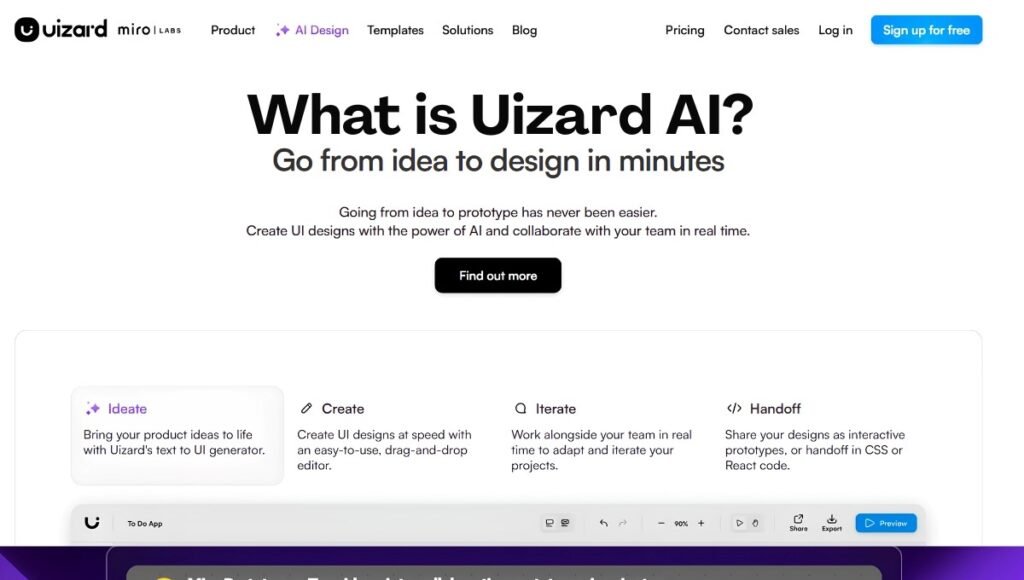
Uizard is a Copenhagen-based, browser-based UI design platform that uses artificial intelligence to turn text prompts, hand-drawn sketches, and screenshots into editable digital wireframes and prototypes. Launched in 2018, it gained attention when its Wireframe Scanner converted hand-drawn sketches into digital layouts. Since then, the Uizard AI design tool has expanded well beyond that single feature into a broader generative design platform aimed at product teams, startups, and non-designers.
In mid-2024, Uizard was acquired by Miro, the online collaborative whiteboard company, and now operates as part of Miro’s innovation workspace. It continues to run as a standalone product with its own login and pricing.
Uizard AI lets users build clickable prototypes from concepts without needing professional design skills or blank canvases.
How the Uizard AI UI Design Tool Works
When you log into Uizard, you’re generally given four starting points:
- Generate with Autodesigner — describe your product in text and let the AI build out screens
- Scan a screenshot — turn an existing app or website screenshot into an editable design
- Remix a template — start from one of Uizard’s pre-built UI templates
- Start from a blank project — build manually using the drag-and-drop editor
The AI-driven paths are what set Uizard apart from a traditional design tool, so it’s worth looking at each of the main features individually.
Uizard AI Features
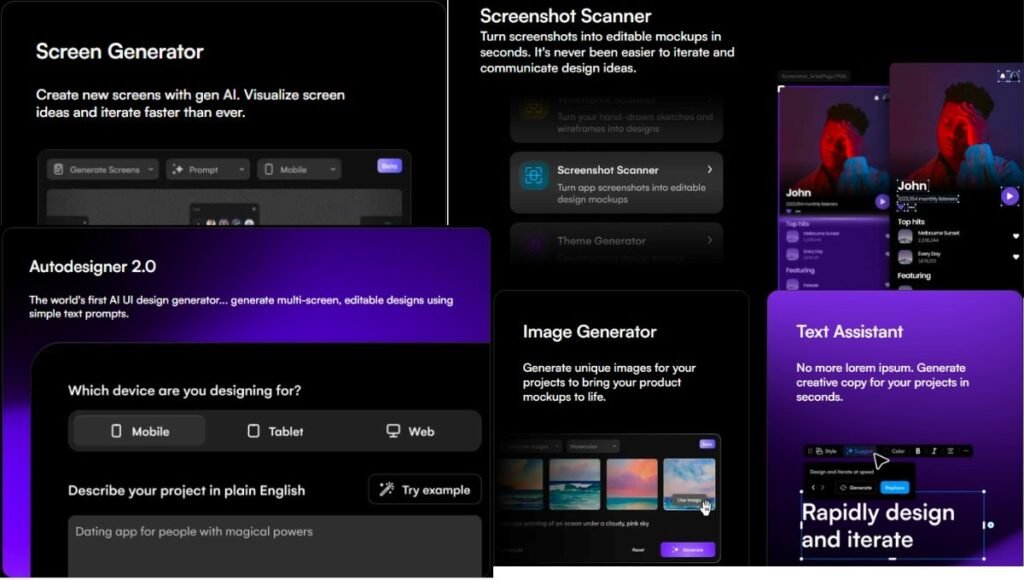
Autodesigner (Text-to-UI Generation)
Autodesigner is the flagship feature of the Uizard AI tool. You type a description — for example, “a mobile banking app home screen with account balance, recent transactions, and a transfer button” — and Autodesigner generates a full screen or a multi-screen flow based on that prompt.
The feature has gone through several versions: Autodesigner 1 and 1.5, followed by Autodesigner 2.0 in 2024, which improved multi-screen generation and style consistency. As of mid-2026, Autodesigner 2.0 remains the current generation engine, and reviewers note that Uizard has not shipped a major public update to it since its 2024 release, even as newer AI UI tools have entered the market.
Sketch-to-Digital Conversion (Wireframe Scanner)
This is the feature Uizard originally became known for. You photograph or upload a hand-drawn wireframe, and the AI detects elements like buttons, headers, text blocks, and icons, then converts them into an editable digital layout. It’s aimed at early-stage brainstorming, whiteboard sessions, and quickly digitizing paper sketches without redrawing everything from scratch.
Screenshot-to-UI (UI Scanning)
Similar in spirit to the sketch scanner, this feature lets you upload a screenshot of an existing app or website. Uizard’s AI identifies the layout structure and interface components and rebuilds them as an editable design you can then customize, rather than starting from zero.
Drag-and-Drop Editor and Component Library
Beyond the AI-generated starting point, Uizard includes a standard visual editor with a library of pre-styled UI components, a theme editor for applying global color and font changes, and tools for basic interactive prototyping (linking screens together with clickable hotspots).
Templates
Uizard ships with a large library of pre-built templates covering common app types. These range from simple to-do list apps to more complex dashboards and budget trackers. You can use these templates as a starting point instead of generating designs from scratch or building them manually.
Collaboration and Handoff
Projects can be shared with view access or edit access. Teams can pin comments directly to specific design elements to leave feedback. Paid plans include developer handoff features. These features allow teams to export designs alongside related CSS and code references for engineering teams.
Uizard AI Design Tool: Strengths
Reviewers and users consistently point to a few things Uizard does well:
- Speed of first draft. Going from a blank page to a multi-screen concept takes minutes rather than hours, which is useful for early ideation, investor decks, and internal pitches.
- Low learning curve. Because the interface and AI prompts are built for non-designers, product managers, founders, and marketers can use it without design training.
- Sketch and screenshot conversion. The ability to digitize a hand-drawn wireframe or an existing screenshot remains one of its more distinctive capabilities compared to purely text-prompt-based tools.
- Built-in collaboration. Comments, sharing, and real-time editing make it workable for small teams reviewing designs together.
Uizard AI Tool: Limitations
No design tool is without trade-offs, and Uizard’s are fairly consistent across independent reviews:
- Not a high-fidelity design replacement. Most reviewers treat Uizard as a fast way to reach a first draft, not a substitute for tools like Figma or Adobe XD when it comes to pixel-precise, production-ready design work.
- Limited interactive states. Complex interactions — such as hover-triggered dropdowns or layered overlay components — are difficult or not fully supported in the prototyping tool.
- AI usage is metered. Uizard’s AI features — scanning, theme generation, and its writing/image assistants — are each capped on a monthly allowance that scales with your plan, so heavy iteration can burn through a plan’s cap faster than expected.
- Engine has been static since 2024. Autodesigner 2.0 was a significant upgrade at launch, but as of 2026 there has been no major public update to the underlying AI engine, and some reviewers note newer AI UI tools are closing the capability gap.
Uizard Pricing (2026)
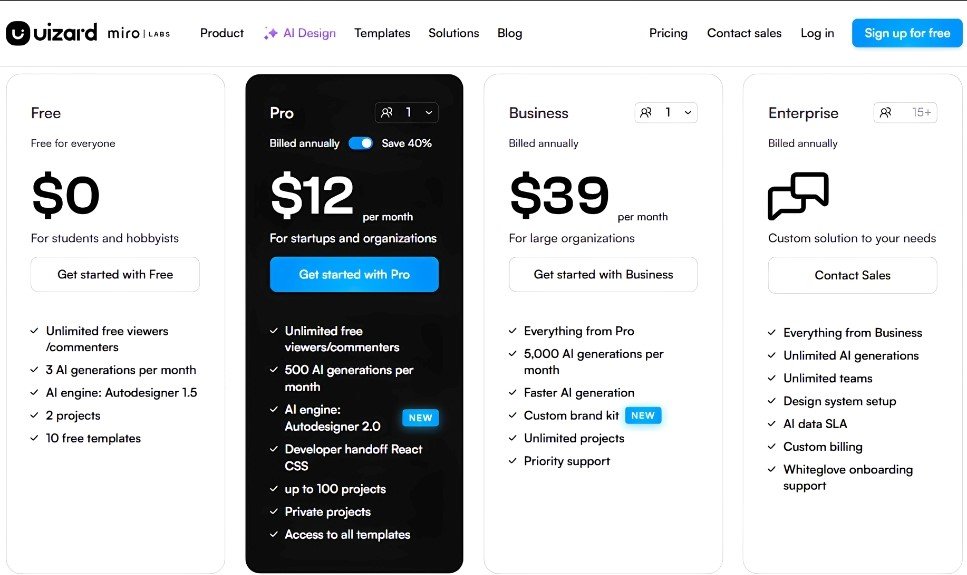
Uizard uses a freemium, per-seat (“Creator seat”) pricing model with three paid tiers plus a custom Enterprise option. According to Uizard’s own help center, the plans break down as follows:
| Plan | Price per Creator seat | Billing | Projects | AI features (scans, theme generation, text/image assistant) |
| Free | $0 | — | Up to 2 | 3 uses/month per AI feature |
| Pro | $19/month, or $12/month billed yearly | Monthly or yearly | Up to 100 | 500 uses/month per AI feature |
| Business | $39/month | Yearly only | Unlimited | Unlimited |
| Enterprise | Custom | Custom | Unlimited | Custom, dedicated contact |
A few pricing details worth knowing before you commit to a plan:
- Pricing is charged per Creator seat, not per organization. Three Creator seats on a yearly Pro plan works out to roughly $432/year in total, for example.
- The Business plan is only available on yearly billing; there’s no monthly option.
- On the Free plan, private projects aren’t available, and Uizard’s help documentation notes the Free tier uses an older Autodesigner engine, while paid plans run on the newer Autodesigner 2.0.
- Third-party pricing trackers sometimes describe Uizard’s AI usage as a single pooled “generations” allowance (commonly cited as 3 free / 500 Pro / unlimited Business), which lines up closely with the official per-feature caps above but isn’t phrased identically on Uizard’s own site.
Because pricing and plan limits can change, it’s worth checking Uizard’s official pricing page directly before purchasing.
Who Should Use the Uizard AI Design Tool?
Uizard tends to fit best for:
- Startups and founders who need to visualize an MVP or product concept quickly for pitches or internal alignment
- Product managers who want to communicate an idea to a design or engineering team without waiting on a full design cycle
- Non-designers who need to produce a usable wireframe or mockup without prior UI/UX training
- Early-stage ideation where speed matters more than pixel-perfect polish
It’s a weaker fit for teams that need production-ready, high-fidelity interfaces, complex interactive prototypes, or deep design-system control — those use cases are typically better served by dedicated professional tools further along in the design process.
Uizard AI vs. Other AI UI Design Tools
Uizard was one of the earlier entrants in the AI-assisted design space, and it remains widely used, but it now competes with a growing field of newer AI UI generators. Compared to tools focused on direct code output (such as those generating React components from prompts), Uizard leans more toward visual wireframes and mockups than production-ready code. Compared to tools built natively inside existing design ecosystems, Uizard’s advantage is that it’s a self-contained, fast starting point that doesn’t require an existing Figma or Adobe subscription.
The practical way to think about it: many teams use Uizard to get from a blank page to a first draft quickly, then move that concept into a more advanced tool for final, production-level design work.
Final Thoughts
Uizard AI has held onto a clear identity since 2018: it’s a fast, low-friction way to turn an idea, a sketch, or an existing screen into an editable UI without needing design expertise or a blank canvas. That makes the Uizard AI UI design tool genuinely useful for founders, product managers, and non-designers who need a first draft in minutes rather than days — especially through Autodesigner and its sketch/screenshot conversion features. Where it falls short is in high-fidelity, production-ready design work and advanced interactivity, and its core AI engine hasn’t seen a major update since Autodesigner 2.0 launched in 2024, even as newer competitors close the gap. For rapid prototyping and early-stage ideation, it’s still one of the more accessible AI design tools on the market in 2026 — just go in knowing it’s a starting point for a design process, not the finish line.
Frequently Asked Questions
A1. Yes, Uizard offers a free plan, but it’s limited to 3 uses per month for each AI feature and runs on an older Autodesigner engine, making it suitable mainly for testing rather than ongoing project work.
A2. Uizard’s core AI feature is called Autodesigner. It generates wireframes, mockups, and multi-screen app flows from text prompts, screenshots, or hand-drawn sketches.
A3. Uizard was acquired by Miro in mid-2024 and now operates under Miro’s innovation workspace, while continuing to run as a separate product.
A4. Paid Uizard plans include developer handoff features that provide code and CSS references, though it is not primarily positioned as a full code-generation tool compared to some newer AI design platforms.
A5. Yes. Uizard is generally considered one of the more accessible AI UI design tools for non-designers, thanks to its simple prompt-based workflow and low learning curve.
Also Read: AWS Bedrock: Features, Pricing, Use Cases, Benefits, Limitations and More