
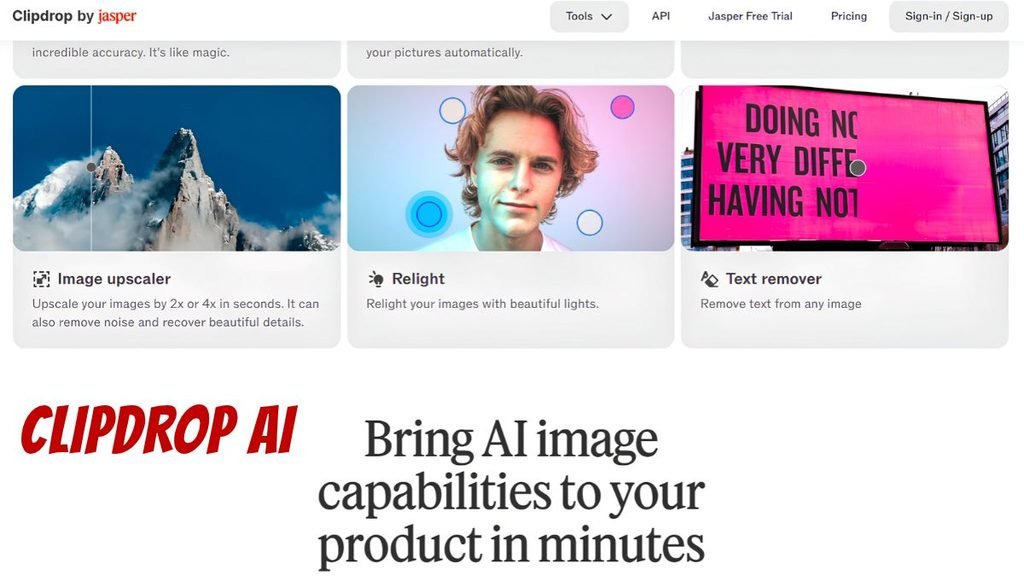
Clipdrop AI is a well-known AI platform that helps users edit, remove backgrounds, improve and upscale, generate images, and design. It has a variety of tools for users who do not have a lot of experience with photo editing. Artificial intelligence tools have made image editing easier, faster, and more accessible. Content creators, graphic designers, photographers, digital marketers, and online sellers can benefit from using Clipdrop AI to get image editing tasks done faster. Its tools cater to a variety of creative needs, from removing unwanted items from photographs to generating images from text. The user can access the tools on the website and select the tools that they need to complete.
What Is Clipdrop AI?
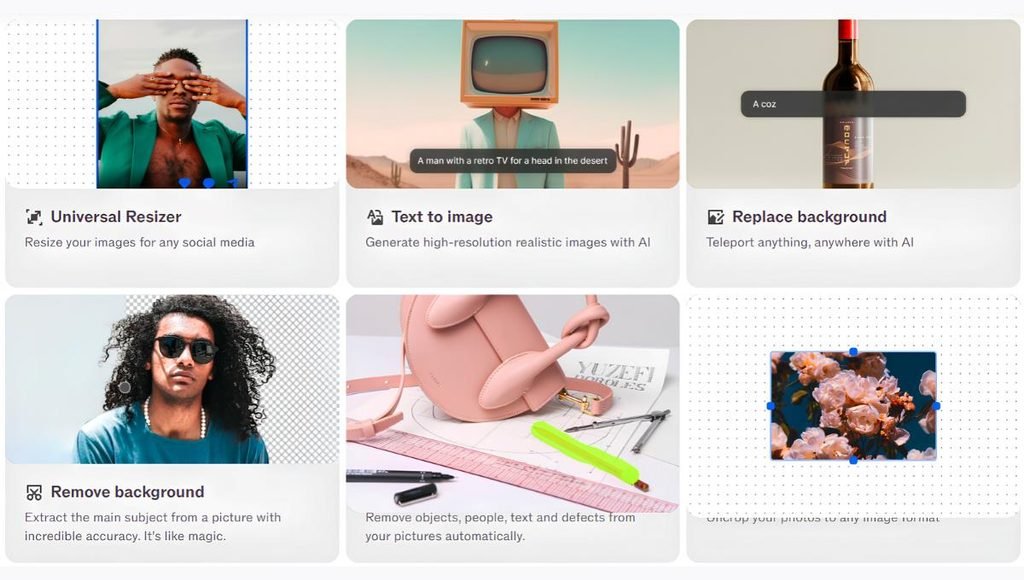
Clipdrop AI is an artificial intelligence platform that is used for image generation, photo editing, and design. The tools are powered by AI models that enable it to perform background removal, object cleanup, image upscaling, relighting, background replacement, and others. With this tool, users can generate images from descriptions. This allows the user to avoid having to edit an image. The AI platform is ideal for individuals and businesses that need to have high-resolution images for their web pages, social media, ads, and e-commerce stores.
Key Features of Clipdrop AI
Text to Image
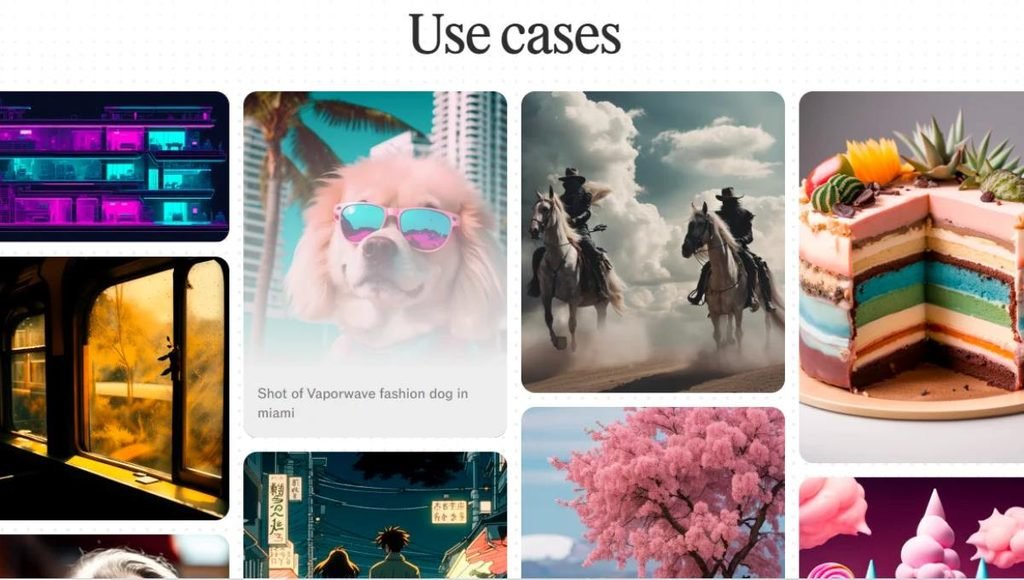
Using the power of artificial intelligence, this tool allows the user to generate an image from their text prompt. The user is able to describe what they want to see in the image. This tool is great for content creators, marketers, and designers to generate creative images for ads, social media, presentations, and more. The user gets to try out different prompts and get unique visual ideas.
AI Background Removal
This tool enables the user to remove the background of their image automatically. The user uploads a photo, and the background is extracted from the foreground. This tool is particularly useful for online sellers, product photographers, graphic designers, and social media creators. It helps them to quickly get product images without having to worry about backgrounds.
Background Replacement
This tool enables the user to replace an image’s background. It can be used to create product photos, promotional graphics, and social media visuals with different backgrounds. For example, online sellers can use this to place a product on a clean background, while content creators can use it to generate different promotional graphics.
AI Image Upscaler
This tool enables the user to upscale images. It can help them make the images bigger, such as for websites, presentations, and other digital uses. This is particularly useful when the image the user has is too small or does not have enough resolution. The tool’s quality depends on the source and the settings that the user selects.
Cleanup
This tool enables the user to remove unwanted items, people, and other undesirable items in the photograph. The user selects the area that they want to remove, and the AI tool fills in the area with the background. For instance, it allows the user to remove unwanted objects in their travel photographs, clean up product images, or remove undesirable items in their promotional photos. However, the user may have to edit the image further if the item removed was on a complicated background.
Uncrop
This tool allows the user to expand an image beyond its borders. The AI tool creates additional visual content to generate a wider or taller image than the one that they have. This can help the user to fill up the space in new image proportions. For instance, the user can use this tool to create social media posts, banners, or website graphics with different sizes. The new image might not look like the original one, so it is a good idea to check out the result before going ahead and using the image.
AI Relighting
This tool enables the user to relight an image. It helps to enhance the lighting to create a better visual of the whole image. This is particularly useful when the image is a photograph of a product or a person. It enables the user to change the lighting without having to edit each aspect of the image.
Text Remover
This tool enables the user to remove unwanted text from the image. It tries to fill in and cover the text that the user wants to remove. This can be helpful to the user when they need to remove text from an image. For instance, some people use this to help them clean up photos with unwanted text, or prepare images for certain creative projects. However, it is not always accurate, so the user may have to edit the image themselves. It is important not to remove any ownership notice or watermark from images that the user does not have permission to use.
Universal Resizer
The Universal Resizer helps the user to resize their images to different dimensions or formats. This is ideal for people who need to have images for their social media, websites, ads, and digital marketing campaigns. Instead of the user having to recreate the same image in different sizes, they can use the tool to resize their image or graphic. This can help them to save time and effort.
API Integration
Clipdrop also has an API to help developers and businesses integrate the image processing tools directly into websites and apps. This is particularly useful for businesses that deal with a lot of images and need to automate the image processing. The API provides access to all of the supported AI image processing tools. This can be helpful when working with images in-house, or when wanting to offer image processing tools as a service.
How to Use Clipdrop AI
Step 1: Pick a Tool
The first step is to pick a task or a particular tool to complete. For instance, the user picks Background Removal to remove the background, Cleanup to get rid of unwanted items, or Image Upscaler.
Step 2: Upload Your Image
The next step is to upload an image. The user should try to upload a clean image whenever possible, as a high-quality image usually yields a better result. The user can also generate images, so if they are using that prompt, it is important to use a detailed description.
Step 3: Adjust the Settings
The tool may come with various settings like dimensions, backgrounds, lighting, and other features. The user should try to adjust the settings to their preference.
Step 4: Process the Image
The next step is to begin processing the image. The tool performs background removal or image upsampling and gives the output results. The processing time varies depending on the tool, images, and other factors.
Step 5: See the Result
The user should look at the generated image or altered image. They should look for unnatural lines, odd objects, lighting issues, and other abnormalities. If the image does not meet their expectations, it is a good idea to go back and change their settings or redo their image.
Step 6: Download the Final Image
The user is able to download the final image in a chosen format. They can use the image on their website, online store, social media posts, presentations, or any other project, depending on their preferences.
Step 7: Combine Different Tools
The best part is that the user can use a combination of these tools to achieve a better result. For instance, they could remove the product’s background, replace it with a setting background, and upscale the image and resize it for their online store.
Clipdrop AI Pricing
All the tools described above are available for free, while some of them come at a cost to the user. This pricing plan may change, so it is always a good idea to check out their website for the latest information.
| Plan | Price | Key Features |
| Free | $0/month | Limited daily uses, basic image editing, standard-resolution outputs |
| Pro | Approximately $9–$15/month | Higher usage limits, HD exports, up to 16× upscaling, watermark removal |
| API Access | Usage-based pricing | API integration and pay-per-use options |
Who Should Use Clipdrop AI?
Content Creators
Content creators can use Clipdrop AI to prepare images for use in YouTube thumbnails, Instagram posts, blogs, and other digital media. Their background removal, cleanup, and enhancement tools can help them create visually appealing content faster.
Graphic Designers
Graphic designers can use the AI to quickly perform routine image editing tasks. They could use the tool to remove unwanted objects, expand their compositions, change an image’s background, and generate graphical concepts. The AI could complement their existing graphic design software but might not be suitable for complex design tasks that require advanced design skills.
E-commerce Sellers
E-commerce sellers can use the AI tool to edit their product photos. The background removal and replacement feature could help them prepare better-looking images for their online shops and marketplaces. Furthermore, image enhancement tools could help them prepare better photos for product listings, advertisements, and catalogues.
Photographers
Professionals in photography can use Clipdrop AI to clean, enhance, and retouch their images. The tools could help them remove distracting elements from their photographs, edit the lighting and contrast, and upscale the resolution of their images. However, they should only use the AI results as a starting point and double-check the alterations to ensure that no detail is lost in the process.
Digital Marketers
Digital marketers could use the AI tool to create graphics for their marketing campaigns, social media posts, advertisements, landing pages, and other material. The marketing teams could leverage the AI’s graphic design tools to generate variations of a graphic without doing the work manually.
Bloggers and Website Owners
Bloggers and website owners can use the AI tool to create images, banners, illustrations, and other graphics for their sites. They could also prepare their images for upload using the cleanup and background removal features. However, they should also consider the size, resolution, and other properties of the images to ensure that they load fast enough on a website.
Small Businesses
Small businesses can use AI to create graphics and images for their promotions, social media, advertisements, and other material. The tool can help them produce better visuals without relying on a professional designer for every task. Therefore, it could be useful for their marketing teams to create visual content regularly without spending much on graphic design services. On the other hand, small businesses with a limited budget might only use the tool for basic image editing tasks.
AI Art Enthusiasts
People interested in creating AI-generated art can use the tool to experiment with its text-to-image generator, uncrop, and background remover features. They can use these three functions to create, alter, and enhance images.
Applications of Clipdrop AI
- Social Media: The AI tool can help content creators edit their images for use on social media, advertisements, promotional materials, videos, and other media.
- Product Photography: Business owners can use the background remover, cleanup, and image upsizer to prepare their product images.
- Website Design: Website owners and designers can use the AI tool to create banners, illustrations, graphics, and images for their sites.
- Advertising and Marketing: Marketing managers and agencies can use the AI’s graphic design and image enhancement tools to create marketing material such as advertisements, flyers, and social media posts.
- Photo Enhancement: Anyone looking to enhance a few photographs can use the AI’s photo enhancer. The tool can automatically remove unwanted objects from images, alter the lighting, improve the overall look, and upscale a photograph’s resolution.
- Presentation Design: Students, professionals, and business owners can use the AI to create or modify images and graphics for presentations, reports, and visual aids. The presentation images would look more appealing and uniform with an altered background and adjusted size.
- Digital Art and Creativity: Anyone can use the AI to experiment and create digital art. The tool’s generator, image expander, and background eraser can help users create and modify images for personal or professional use.
- Automated Image Processing: Developers and businesses can use the API to handle the image-processing tasks described above automatically. Businesses can use the application programming interface (API) to handle large-scale projects that require multiple images.
Pros and Cons of Clipdrop AI
| Pros | Cons |
| Offers multiple AI image-editing tools in one platform | Free usage is limited |
| Provides browser-based access to supported tools | Some advanced features require a paid plan |
| Helps remove backgrounds and unwanted objects | Results may contain visual errors |
| Supports image enhancement and resolution improvement | Complex images may need additional editing |
| Includes text-to-image generation | Generated images may not match every prompt accurately |
| Useful for creators, designers, and businesses | Features and usage limits can change |
| Offers API capabilities for developers | API use may create additional costs |
Is Clipdrop AI Safe to Use?
Clipdrop AI is useful for everyday image editing, but remember to take necessary precautions before uploading photos. Avoid uploading any confidential business documents, personal photos that shouldn’t be shared online, sensitive personal information, or images that you are not entitled to upload. Review the website’s privacy policies and terms of service to know more about the usage policy and the rights assigned to the company. If you intend to use the AI-generated photos for commercial purposes, ensure that you also comply with copyright regulations, trademarks, privacy policies, publicity rights, and other restrictions that may apply. Finally, when working with this software for professional applications, remember to review the final image before publishing or using it for any commercial venture.
Conclusion
Clipdrop AI is a valuable tool that allows users to generate images, edit photographs, and enhance their visuals. You can use it to delete the background, clean up objects in images, change the background, improve the resolution and lighting of photos, and create images from text descriptions, among other features.
Therefore, this tool is ideal for content creators, graphic designers, online sellers, photographers, digital marketers, small businesses, and other professionals who need to edit photos quickly. The free plan allows you to access some of the best features and try out some of the best editing tools. At the same time, you can subscribe to a paid plan or use the API to get better results when working with high-resolution images regularly.
Frequently Asked Questions
A1. Clipdrop AI is used for editing images, removing the background, cleaning objects, enhancing photos, and generating images from text descriptions.
A2. Yes, it is free to use, but you can only use the best tools with a limited number of images. Some tools are only available for subscribers with a paid plan.
A3. Yes, you can use the Background Removal tool to auto-detect and delete the background in images.
A4. It depends on whether the images are free or paid, and if you have the rights to use them for commercial purposes. Review the terms and conditions of the website and ensure that the photos and their contents are not protected by copyrights, trademarks, privacy policies, publicity rights, and other restrictions before publishing.
A5. Yes, it is beginner-friendly and mostly requires minimal technical expertise to edit photos online. It is easier to work with than traditional image-editing software like Photoshop and GIMP.
Also Read: Doubao AI: Features, Pricing, AI Chatbot, Image Generation, Video & Complete Guide 2026