
OpenArt is an AI graphics tool that allows you to create and modify graphics, videos, and other digital content. It integrates several AI models and creative functions into a single platform and creates visual content by switching between various applications.
From text prompts, users can create images; from images, they can make videos; in the same way, they can edit and use ready-made images to make consistent characters; they can upscale and extend images and create storyboards and advertizing texts. OpenArt can be beneficial for content creators, designers, content marketers, students, businesses, and others who wish to generate visual content with AI. This article will focus on the key features, pricing, AI image generation and video creation, editing options, models available, use cases, and the pros and cons of OpenArt.
What is OpenArt?
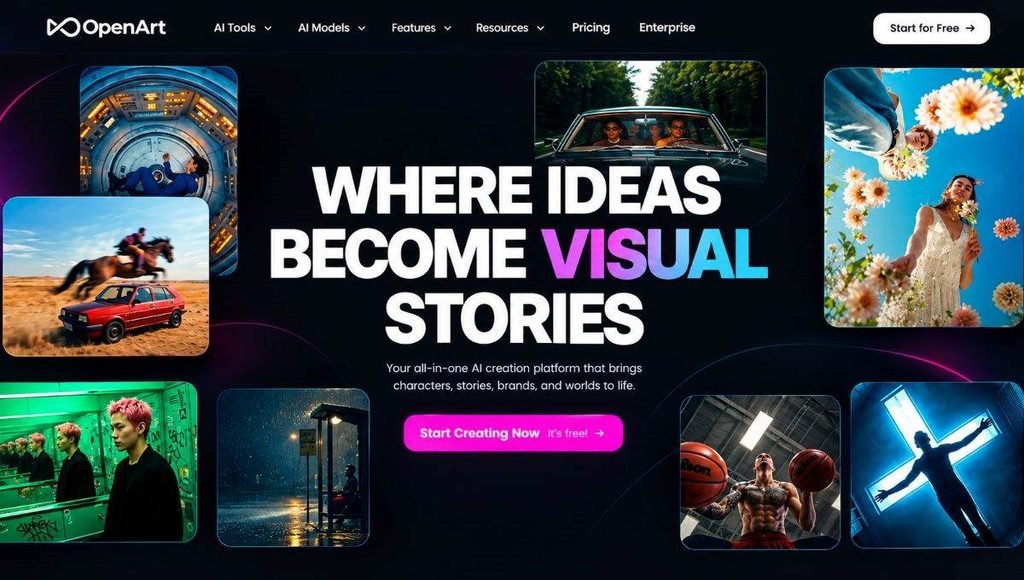
OpenArt is a generative AI platform that allows users to create, edit, and transform digital content with artificial intelligence. It has image and video generation capabilities and offers the ability to access several AI models on a single workspace. Users can start by creating a text prompt, pasting an image, video, or reference material. Depending on the selected tool, OpenArt can create new content, alter existing images, make extensions to the image, animate a picture, or edit video content. The platform can be used by both novices and pros. Simple prompts are suitable for beginners, while users can choose different models, upload references, and use various editing controls for advanced users.
Key Features of OpenArt AI
AI Image Generation
However, one of its most significant features is its AI image generation capabilities. A text prompt is given, and the user chooses a suitable AI model, then generates a picture. Users can make portraits, product pictures, illustrations, advertisements, concept art, characters, wallpapers, and social media graphics. The site also offers other editing and enhancement features, enabling users to refine an image beyond the initial generation.
AI Video Generation
OpenArt provides AI video-generation tools that can create videos from text prompts, images, and other references. Depending on the type of content that users wish to create, they can choose from different video models. There are different models that offer various capabilities for creating motion, video-to-image, text-to-video, audio, and video quality. AI video generation may be beneficial for social media content, ads, short films, product demos, and storytelling and promotions.
AI Video Editor
In addition, OpenArt offers an intelligent AI-based video editor that enables users to edit videos with natural language commands. Users can control changes in a video without having to make adjustments to individual video components. Based on the workflow, the system can assist in changing the background, lighting, clothing, characters, and so on. This could be beneficial for content creators who wish to create and edit video content across platforms.
Translation Optimization
With OpenArt, users can leverage the AI character generation features to quickly build customizable characters. Character consistency is important for comic making, children’s story making, ad making, animating, or social media series making, because the same character should look the same in all the scenes. Users can create a character; then use it in other images or creative projects. This can make it easier to come up with a consistent character over multiple productions.
AI Editing, Upscaling and Image Extension
OpenArt offers tools to enhance and manipulate existing pictures. It offers image upscaling, which can boost the resolution and enhance visible details. Sometimes, when an artist requires an image to be expanded into a different aspect ratio, image extension can extend an image beyond its current border.
AI as a Resource for Storytellers and Writers
OpenArt’s creative tools enable the creation of full visual stories. It has the ability to help you turn an idea or script into a series of visual scenes with its storytelling tools and storyboard tools. These might work for comics, short stories, ads, social media projects, and video projects.
Multiple AI Models in One Platform
A key advantage of OpenArt is that it provides access to a wide range of AI models via a single workspace. A variety of models are available to permit users to select one based on their needs. Image and Video Models may differ in degrees of realism, motion, image quality, editing, and creative control.
How to Use OpenArt AI
OpenArt is designed to have a simple workflow for most creative tasks. Those unfamiliar with image generation can begin by dipping their toes into the simple aspects of it, then slowly ramp up to exploring its advanced features.
- Step 1: Create an OpenArt account or log in. New users receive free trial access, followed by credit-based paid plans.
- Step 2: Choose a creative tool based on your project needs, such as image generation, video creation, editing, or character building.
- Step 3: Select an AI model. Different models yield unique stylistic results, so choose one tailored to your specific output.
- Step 4: Enter a descriptive text prompt detailing the subject, environment, lighting, camera angle, and visual style.
- Step 5: Upload reference images, videos, or material to guide the composition, character appearance, or overall style.
- Step 6: Generate the content, review the results, and use built-in editing features or follow-up prompts to refine it.
- Step 7: Export or download your final image or video file.
OpenArt Pricing in 2026
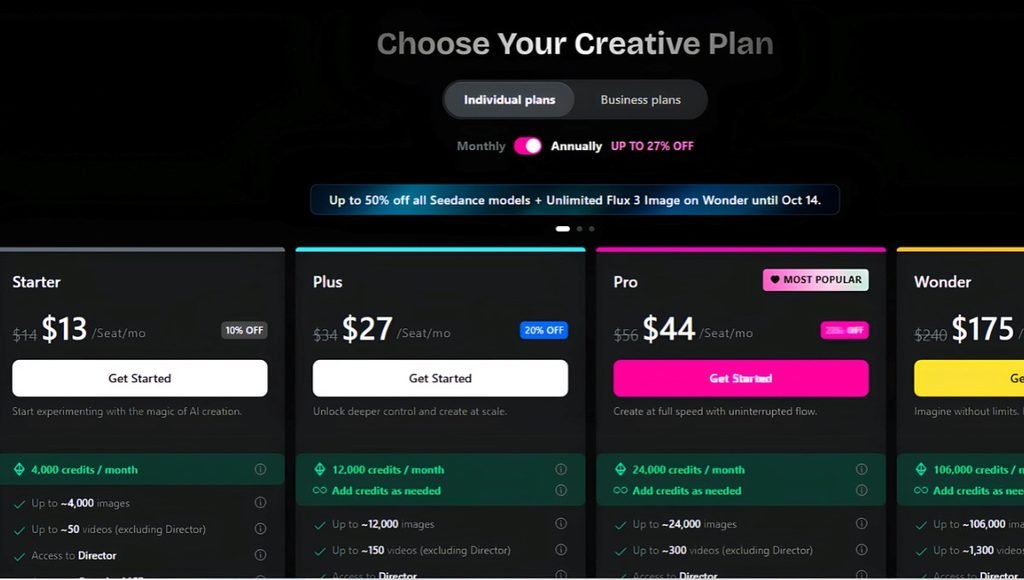
OpenArt currently offers four main individual paid plans: Starter, Plus, Pro, and Wonder. It employs a credit structure, with greater plans offering more monthly credits and extra features.
| Plan | Regular Monthly Price | Listed Promotional Price | Credits per Month |
| Starter | $14 | $13/month | 4,000 |
| Plus | $34 | $27/month | 12,000 |
| Pro | $56 | $44/month | 24,000 |
| Wonder | $240 | $175/month | 106,000 |
Promotional pricing can change, so the amount shown to users may vary. Annual billing can also provide additional savings.
OpenArt Starter vs Plus vs Pro vs Wonder
| Feature | Starter | Plus | Pro | Wonder |
| Monthly Credits | 4,000 | 12,000 | 24,000 | 106,000 |
| AI Image Tools | Yes | Yes | Yes | Yes |
| AI Video Tools | Yes | Yes | Yes | Yes |
| Premium Models | Yes | Yes | Yes | Yes |
| Consistent Characters | Limited | More | More | Highest |
| Personalized Models | Limited | More | More | Highest |
| Parallel Generations | 8 | 16 | 32 | 32 |
| Watermark-Free | Yes | Yes | Yes | Yes |
| Commercial Use | Plan dependent | Yes | Yes | Yes |
| Priority Support | No | No | No | Yes |
Exact limits can change as OpenArt updates its plans, models, and features.
Is OpenArt Free?
At the time of writing, OpenArt has no such option for a free subscription for an unlimited period. However, new users get a “trial” for a few days first, and credits before they decide to pay anything. The trial may be beneficial in testing out image generation, video tools and other features prior to subscription.
OpenArt AI Image Generator
OpenArt’s AI image generator allows users to create visual content using text prompts and different AI models.
It can be used for:
- Product images
- Portraits
- Digital artwork
- Social media graphics
- Advertisements
- Character concepts
- Wallpapers
- Illustrations
- Marketing visuals
- Concept art
Users are also able to use the reference images and editing features to add to the results generated.
OpenArt AI Video Generator
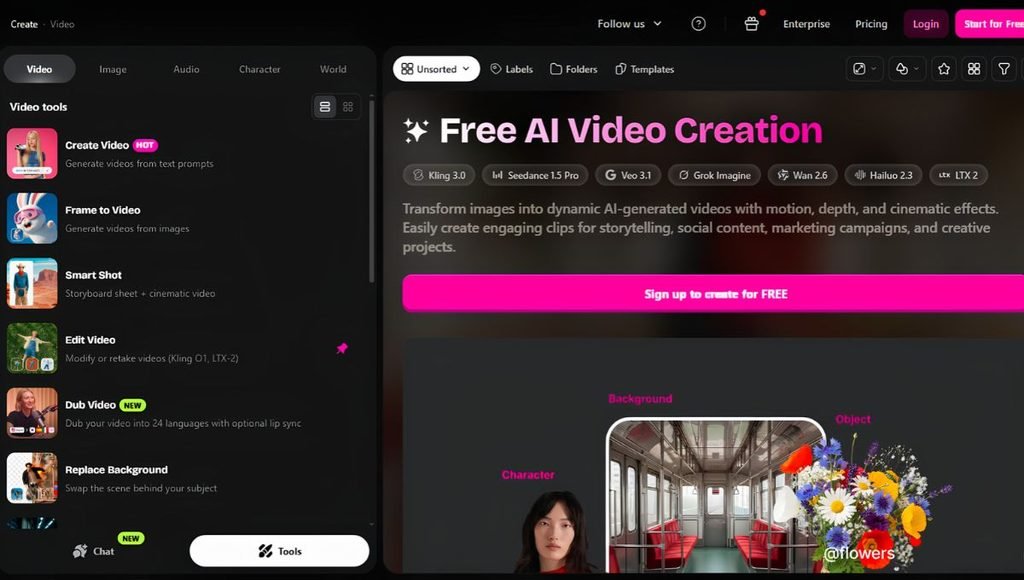
OpenArt AI Video Generator is capable of generating video content from text prompts or images. Various models can offer various features for motion, video quality, duration, references, and audio. Users can thus “play with the models” according to the project. The tool may be beneficial for:
- YouTube content
- Instagram Reels
- Short videos
- Product advertisements
- Marketing campaigns
- AI storytelling
- Visual effects
- Creative experiments
OpenArt Director
OpenArt Director is created for content creators looking to build more comprehensive video projects. It can be integrated as a component of the workflow (for scripts, scenes, and visual sequences). Storyboard and storytelling tools are useful in getting ideas organized before the final video is created. This is helpful for clients who are creating ads, short films, social media campaigns, and other story experiences.
OpenArt for Content Creators
Images, videos, thumbnails, ads, characters, and social media content are examples of items content creators can use OpenArt for. YouTube creators can design their thumbnails and graphics; Instagram creators and TikTok creators can create vertical graphics and videos. The site even enables creators to create their concept into a variety of content, such as an image, animated video, advertisement, or social media graphic.
OpenArt for Businesses
Businesses can use OpenArt for marketing campaigns, product visualization, advertisements, and social media content. A business might, for instance, upload an image of a product and develop alternate advertising concepts or promotional backgrounds on the same product. Businesses can consider a few creative avenues before professional production with the help of AI-generated images.
Conditions for commercial use are dependent on the current conditions of the OpenArt in question and its terms – this is why businesses should review the current conditions before using any content created from that source for commercial purposes.
OpenArt for Designers
OpenArt can be used by designers to experiment and develop ideas. Rather than manually coming up with each initial idea, the designer can come up with a number of ideas and then narrow down the best direction to take. Can be beneficial for:
- Branding concepts
- Product visualization
- Character design
- Fashion concepts
- Advertising
- Illustrations
- Website graphics
- Social media designs
However, OpenArt can be used in conjunction with graphic design software when greater accuracy is needed for manual editing.
OpenArt vs Midjourney
Midjourney and OpenArt both offer AI image-generation capabilities, but their platforms have different focuses.
| Feature | OpenArt | Midjourney |
| AI Image Generation | Yes | Yes |
| Multiple AI Models | Yes | Primarily Midjourney models |
| AI Video | Yes | Yes |
| Image Editing | Yes | Yes |
| Video Editing | Yes | More limited |
| AI Characters | Yes | Yes |
| Model Selection | Extensive | Limited to its ecosystem |
| Story Creation | Yes | More visual-generation focused |
| Image Upscaling | Yes | Yes |
| Commercial Use | Available on eligible plans | Available under applicable terms |
| Overall Focus | Broad AI creator platform | Visual-generation platform |
OpenArt vs Traditional Editing Software
| Feature | OpenArt | Traditional Software |
| Text-to-Image | Yes | Usually no |
| Text-to-Video | Yes | Usually no |
| AI Editing | Yes | Depends on software |
| Manual Editing | Available | Strong |
| AI Characters | Yes | Usually requires additional tools |
| Image Upscaling | Yes | Available in some software |
| Creative Exploration | Fast | More manual |
| Workflow | Prompt-based | Tool-based |
Pros and Cons of OpenArt AI
| Pros | Cons |
| Multiple AI models in one platform | Advanced generations can consume credits quickly |
| Image and video generation | Heavy usage requires paid plans |
| AI editing tools | Different models have different credit costs |
| Character consistency features | Beginners may need time to understand models |
| Image and video upscaling | Some advanced features are plan-dependent |
| Storytelling and storyboard tools | Higher plans can become expensive |
| Natural-language video editing | AI output may require manual correction |
| Large collection of creative tools | Features and models can change over time |
Who Should Use OpenArt?
- Students: Students can make presentation visuals, educational graphics, illustrations, storyboards, and project material with OpenArt.
- Content Creators: It’s suitable for thumbnail images, pictures, videos, characters, advertisements, and short videos for YouTubers, bloggers, and social network content creators.
- Designers: OpenArt can be used by designers in concept and product development, character creation, logos, branding, and experimentation.
- Marketers: It can be used to develop advertising ideas, product imagery, social media graphics, and social media promotional videos.
- Businesses: OpenArt can be used by businesses for marketing, advertising, social media and to brainstorm ideas about their products.
- Video Creators: AI video generation, image-to-video, editing, video extension, and enhancement tools empower filmmakers and video creators to harness the power of AI for creative workflows.
Conclusion
OpenArt is a wide-ranging AI creative tool offering image generation, video generation, editing, AI characters, storytelling, storyboards, upscaling, and access to multiple AI models, all within a single workspace. The most significant benefit is that they can try out different AI models and creative workflows without having to switch between several different platforms all the time. Users can create an image, edit it, create a character, animate the image, and make more content within the same creative space. OpenArt can serve as a valuable tool for students, designers, marketers, businesses, YouTubers, and other creators looking to create AI-generated visuals. Users are advised to keep an eye on their credit consumption, as different credit models might require varying credits to use different image and video models.
FAQs
A1. OpenArt is an AI-powered creative platform for generating and editing images, videos, and other digital content. It includes access to a variety of AI models as well.
A2. OpenArt offers limited trial access for new users, but ongoing plans are monthly, credit-based, paid plans.
A3. OpenArt offers individual plans of: Starter, Plus, Pro, and Wonder. The current subscription offer may change the prices and promotional discounts.
A4. Yes. OpenArt offers the following AI video-editing features: Users can use AI instructions to edit various parts of videos.
Also Read: SciSpace: Features, AI Research Tools, Literature Review, Pricing & Complete Guide 2026