

Luma AI (Luma) is a video, image generation, multimodal reasoning and creative production generative AI company. The company was founded on the AI capabilities for capturing and reconstructing 3D images, but has since grown into a more comprehensive creative AI solution. Today, people know Luma best for its Ray family of video models and its UNI image and multimodal models. It is currently using Ray3.2 video model and UNI-1.1 image and multimodal generation technology. This platform also features creative agents, storyboarding, collaborative workflow, editing and access to various AI models.
What Is Luma AI?
Luma AI is a tech company creating multimodal AI systems for creation and engagement with visual information. It is used for generative video, image generation, computer vision, 3D content creation and AI-driven creative workflow. The startup first gained fame for its 3D capture technology on smartphones. It later branched into generative video with Dream Machine, elevating Luma’s name to the ranks of the biggest names in AI video generation.
In today’s context, Luma has evolved beyond the initial Dream Machine concept and is now a more comprehensive creative AI platform. It integrates Ray 3.2 for video, UNI-1.1 for image and multimodal generation, Luma Agents, Luma Scenes, editing workflows, reference-based generation, and other creative tools. Users can create and modify images, graphics, and videos from text, images, videos, references, and more. It is designed for creators of all levels, including production teams.
Core Features and Capabilities
AI Video Generation
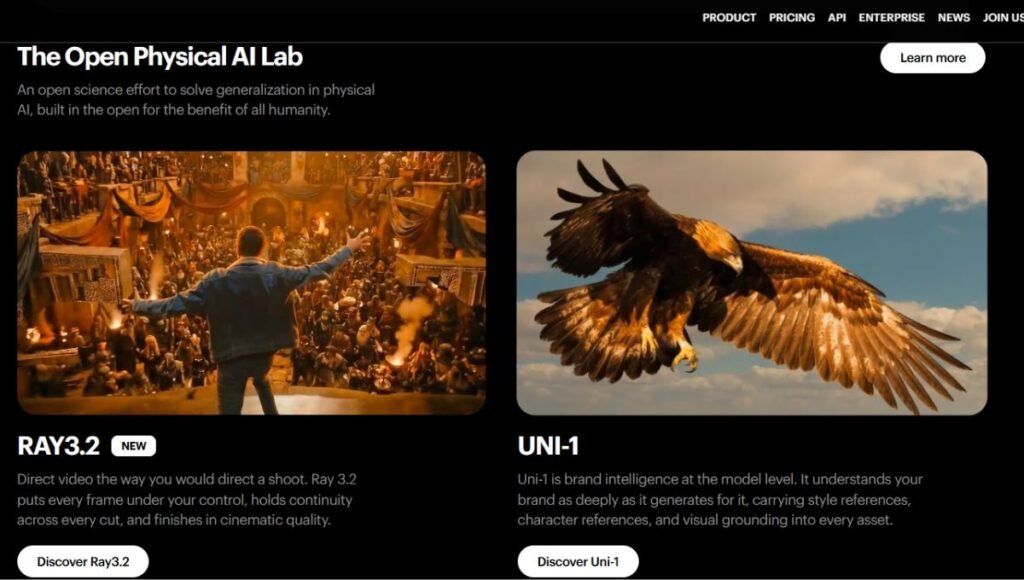
Luma’s Ray models are optimized for creating and manipulating videos with AI. Ray3.2 can handle text-to-video, image-to-video, video editing, video extending and video reframing conversion. The focus of the model is on realism of movement, structure of the scene, visual unity, and purposeful changes.
Image-to-Video Generation
Users can give images as starting images and change them to moving video images. This is particularly effective for animating a concept art, product images, characters, illustrations, and photographs. Creators can also exploit image-to-video workflows, using start and end frames to gain better control over how the scene evolves.
Text-to-Video
Today’s generation system of Luma can produce videos based on the description of natural language. Subject, environment, camera movement, action, lighting and visual style can be described by the user. This means that creators can come up with imagery that does not involve shooting or complex 3D production.
Video Editing and Modification
Also, Ray3.2 is created for manipulating existing footage, and is not just about making new clips. Users are able to edit the visual characteristics of an existing video, change materials, environments, style and more, while retaining key parts of the original video. Luma’s Ray 3.2 workflow lets creators edit source video and make production-oriented changes using keyframe-based control.
Multi-Keyframe Control
One of the most important features in Ray3.2 is the ability to control them by using keyframes. For supported workflows, the current system is capable of using multiple keyframe anchors. The anchors can direct the transition of a video between certain points.
This can be helpful for victims of:
- Product transformations
- Character changes
- Music videos
- Advertising
- VFX development
- Scene restyling
Time control starting and stopping frames.
System Requirements
Luma offers controls to guide the motion and look of created content. Depending on the workflow, creators can control aspects such as framing, camera movement, character appearance, references, adherence, and visual style. These controls help to ensure that AI content generation is more consistent and predictable than relying on a simple text prompt.
Native 7.0 HDR and EXR
Luma’s notable professional features include support for native HDR generation and professional output workflows. Ray3.2 is HDR-capable and offers EXR export, for experienced colour grading and VFX pipelines. This makes Luma more relevant in the world of professional production than merely tools geared towards social media videos for fun.
Luma Scenes
Luma Scenes is storyboard and visually oriented. By creating scenes and keyframes first, users can create a whole creative project without having to rely on the isolated prompts, and only have to commit to the final video generations.
This can help to streamline the process of creating the image and provide more flexibility for the artist in terms of the final result.
UNI-1 Multimodal Image Generation
Luma’s multimodal image-generation technology is called UNI-1. It comprehends instructions, references, composition, and visual intent rather than merely transforming a short prompt into an image. Luma has also released the new multimodal model and image UNI-1.1 for the existing Luma ecosystem. UNI creates and generates images, edits existing visuals, generates new content from reference images, and applies style changes.
Multiple Reference Images
You can employ multiple reference images in Luma’s image system to guide image generation. Use this technique to preserve the identity, composition, style, or other elements across a series of images over time.
Technical Details and Architecture
The current technology being developed by Luma focuses on multimodal AI systems, which integrate visual understanding with generative abilities. Ray 3.2 optimizes video generation and transformation, using controls that retain key characteristics of the source video. It can add images, videos, keyframes, references and editing instructions into its workflow. It is compatible with text-to-video, image-to-video, video editing, video extension, professional HDR/EXR workflow, reframing, looping and more.
Luma developed the multimodal image-generation model, UNI-1, to understand visual references and detailed instructions. The UNI family is a part of a larger movement to become one unified intelligence that might see, reason, and create among various media, Luma says. This is a significant departure from Luma’s earlier efforts with 3D capture, which is moving towards a more comprehensive creative AI platform.
Performance and Creative Quality
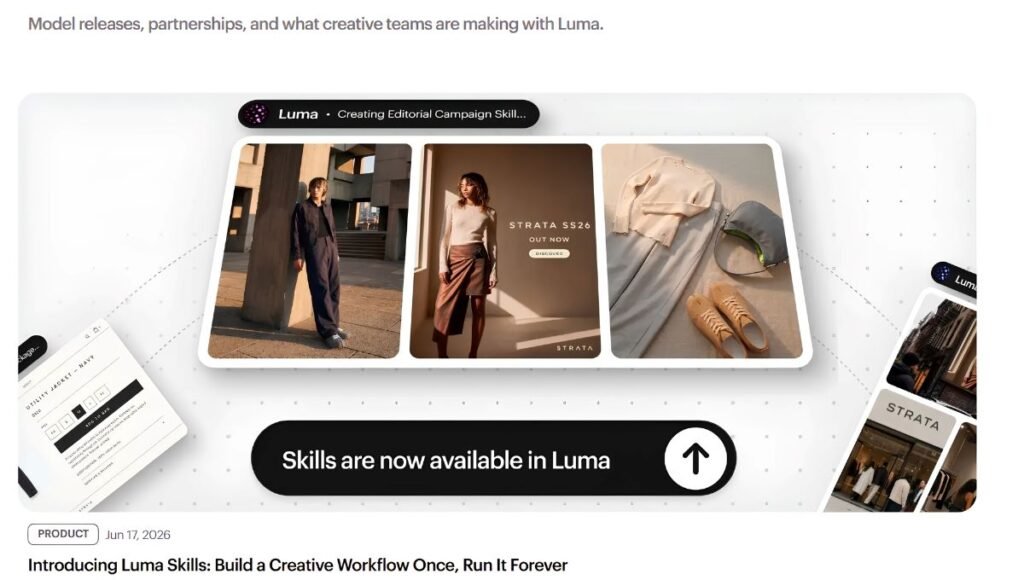
Luma has a strong reputation for visual quality, true motion and movie generation. The Ray models excel at keeping movements coherent and giving creators direct control over visual changes. Ray3.2 also focuses more on the production workflow than just on prompt-to-video generation. It is ideal for more structured creative tasks thanks to keyframe controls, video modification, adherence settings, and professional exports.
However, this can depend on the prompt, the source material, the generation options and complexity of the requested scene. Luma joins the competition from other AI models like Runway, Google, Kling, and ByteDance. Instead of limiting itself to proprietary models, Luma’s platform increasingly integrates multiple models into its creative ecosystem.
The Evolution of Luma AI
| Stage | Period | Major Development |
| Early Luma | 2021–2023 | AI-powered 3D capture and computer vision |
| Genie | Early development | Text-based 3D object generation |
| Dream Machine | 2024 | Major expansion into generative video |
| Ray2 | 2024–2025 | Improved video quality and generation capabilities |
| Ray3 | 2025 | Greater reasoning, consistency, and production controls |
| Ray3.2 | 2026 | Current video model with advanced editing and keyframe workflows |
| UNI-1 / UNI-1.1 | 2026 | Current image and multimodal generation technology |
| Luma Platform | 2026 | Agents, Scenes, Layers, multiple models, and broader creative workflows |
The evolution highlights Luma’s transformation from a niche 3D firm to a comprehensive creative AI solution.
Practical Use Cases
Luma AI may be applied to most creative and professional workflows. Common applications include:
- Producing video for social media platforms.
- Producing advertising concepts
- Generating product demonstrations
- Creating cinematic B-roll
- Creating digital illustrations or photos that move.
- Developing film concepts
- Creating game and film previsualization
- Creating concept images for visual effects.
- Developing storyboards
- Creating marketing campaigns
- Editing and restyling previous footage
- Creating product visuals
- Creating innovative ideas quickly
From an initial idea to a visual prototype, working with video generation, image generation, editing, storyboarding and collaborative workflows can save professional teams hours of time.
Luma AI for Content Creators
Luma is the perfect tool for content creators to create short videos, social media visual content, product clips, intros, and promotional content. A creator can begin by creating an image, then let AI come up with some animation, edit the video, and add the clip to a bigger production. This is especially beneficial to creators that do not have access to costly equipment, animation software, 3D artists, or traditional production teams.
Luma AI for Businesses
Luma can be utilized for advertising, marketing, product visualization, creative tests, and campaign building for businesses. A marketing department might generate several product ideas and use the visualization tool to narrow their choices to the option requiring a higher production budget. Being able to work with references and existing footage can also ensure that brands have more control over their visual identity.
Luma AI for Filmmakers
Luma can be used for concept development, pre-visualization, storyboarding, visual experimentation and VFX exploration by film makers. Ray3.2’s key frame and source video workflows are especially helpful when the producer wants to keep certain parts of an existing shot but wants to slightly modify their appearance or environment. In addition, the platform’s support of HDR and EXR workflows helps make it more applicable to the professional post-production workflow.
Pricing and Availability

Luma’s pricing system has changed dramatically. The Luma App has currently 3 plans (Plus, Pro, and Ultra) and can be used by businesses with the Enterprise plans. The Luma API uses a credit-based model rather than the subscription model of the consumer application.
| Plan | Price | Key Features |
| Free | $0/month | Limited credits, basic access, watermarked generations |
| Plus | Around $30/month | More credits, higher limits, advanced creative features |
| Pro | Around $90/month | Higher credits, priority generation, professional features |
| Ultra | Around $300/month | Large credit allowance, priority access, advanced generation |
| Enterprise | Custom pricing | High-volume usage, team features, and business support |
The price and features may vary, and people should ensure that Luma’s pricing is current before subscribing.
Luma AI API
With the Luma API, developers can embed Luma’s image and video generation tech into their own apps and processes. At this time the API supports models such as:
- UNI-1
- UNI-1 Max
- Ray3.2
Creators can create, edit, reference, generate, extend, and reframe images using a full suite of generation controls. Likewise, users can generate, edit, extend, and reframe videos through dedicated control options. This is why Luma can be beneficial for use not only as an application, but also as an infrastructure layer in the development of AI-powered applications.
Luma AI limitations
While Luma AI is quickly growing, it has its drawbacks.
- Long sequences: It can be difficult to achieve consistency of characters, objects, and environments.
- Multiple simultaneous actions, physics, and high levels of complexity can yield unusual results in complex scenes.
- With repeated testing, credits can be used up rapidly, especially for professional or high-resolution video productions.
- Short-form generation: AI video generation is still more useful for clips and controlled sequences, rather than creating complete long form movies in one go.
- Prompt dependency: The clarity of instructions, reference material, etc., can have a significant impact on the quality of the results.
- Unpredictability: Generative AI can be unpredictable, sometimes adding unintended details to an image.
- Training data and copyright issues: As with the wider generative AI sector, there are ongoing debates around copyright and training data, as well as discussions around ownership and responsible AI development.
What are the changes in Luma AI 2026?
Several important changes should be reflected in a current Luma AI article.
- Ray3 is not just the latest flagship, it’s now the new video model, which is Ray3.2.
- Today’s environment relies on image and multimodal workflows moving toward UNI-1.1, so marketing should no longer position Photon as a standalone product.
- Luma has evolved from a video creation app to Creative Agents, Scenes, Layers, collaborative workflows, and several integrations with models.
- API is available for UNI-1, UNI-1 Max and Ray3.2 per generation, and with professional throughput options.
The current Luma experience is a much wider version of the original Dream Machine experience as a result of these changes.
Impact and Legacy
Luma AI has played an important role in the development of generative video. The company’s later Ray models paved the way towards more structured and professional production processes, and Dream Machine played a significant role in making high-quality AI video accessible to a broad audience. From 3D capture to generative video, multimodal image generation, AI agents, storyboarding, and creative production, the AI media industry has come a long way in a short period. Its focus on motion, visual quality, keyframe control, editing, HDR, and professional formats has been a way to distinguish it from less complicated, prompt-to-video solutions.
Conclusion
Luma AI is no longer just an AI-powered 3D capture firm, but now a wide creative AI platform. It’s now equipped with Ray3.2 video generation, UNI-1.1 image and multimodal options, creative agents, Luma Scenes, editing controls, references and professional production workflows. Ray 3.2 supports video generation and manipulation, while Luma’s image models deliver detailed generation and control. It is also becoming more of a creative environment than just a video generator. Luma AI empowers users from content creators to filmmakers, marketers, agencies, developers, and businesses to generate fresh visual content by transforming their concepts, images, and existing footage. Luma’s platform is evolving into creative workflows for multimodal, video, and image generation with the most relevant names of Ray3.2 and UNI-1.1 as of 2026.
FAQs
A1. Luma AI is a Generative AI video, image and visual content creation and editing platform.
A2. The current video generation model for Luma is Ray3.2, which is made for a realistic video generation, editing and creative control.
A3. Yes, Luma can make videos based on text prompts and can also animate images to make videos.
A4. Luma is available for free (with some restrictions) and paid for credits and extra features.
A5. Luma AI can be used for creative production by content creators, filmmakers, marketers, businesses, agencies and developers.
Also Read: ChatGPT Image Generator: ChatGPT Plus Image Upload Limit and Complete Guide