
ChatGPT is no longer just an AI-powered chatbot with answers; it has evolved into a versatile tool for generating text, images, and video content. The ChatGPT image generator allows users to generate original images from textual prompts, modify existing ones, delete or change backgrounds and insert elements and make creative changes with ease. ChatGPT can be a valuable tool for businesses and everyday users, content creators, students, and marketers who need to create visual content without using traditional design tools. ChatGPT Images is currently available on all ChatGPT plans, but the number of images generated per user and the features may differ. This guide focuses on the ChatGPT image generator, the image upload limit on ChatGPT Plus, image generation limits, supported features, how to upload images, some tips on image editing to get better images, and more.
What Is ChatGPT Image Generator?
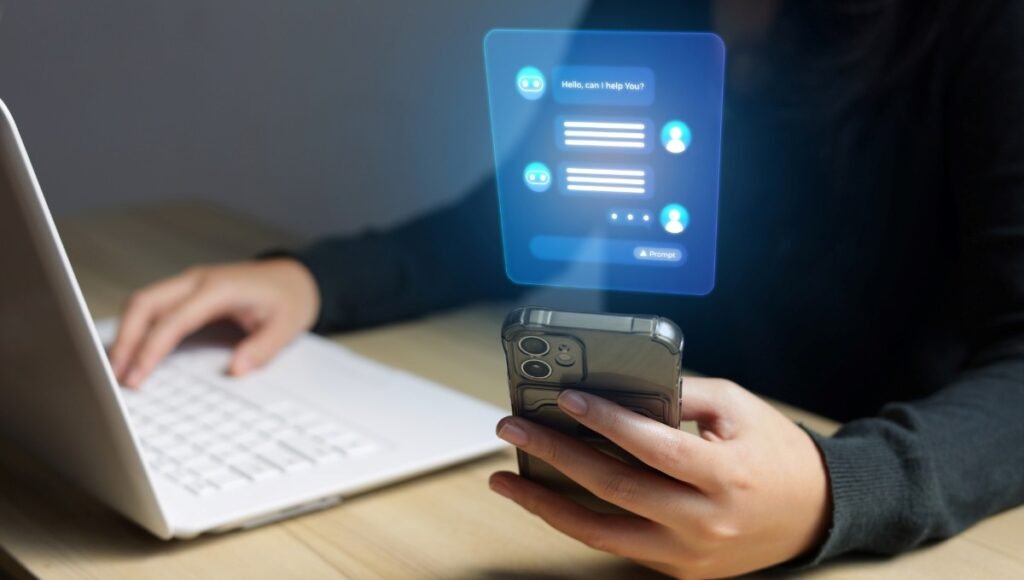
The ChatGPT image generator is an AI-powered feature that allows users to create images by describing their requirements in natural language. You don’t need to get into the nitty gritty of design software options; just tell ChatGPT what you are looking for. For instance, a realistic photo, digital illustration, product concept, poster, social media graphic, or website banner/creative artwork can be requested. You can also upload an image to ChatGPT and ask it to make certain changes to it. You can ask it to change a background, remove an unwanted object, modify an element, improve the composition or transform the overall visual style.
ChatGPT Image Generator Features
The image generator offers a few features which can be helpful for various types of visual projects.
| Feature | What It Does |
| Text-to-image | Creates images from written prompts |
| Image editing | Modifies uploaded or generated images |
| Background editing | Changes or removes backgrounds |
| Text generation | Adds text to images |
| Style changes | Creates different visual styles |
| Image variations | Helps refine visual concepts |
| Aspect ratios | Supports different image formats |
| Image library | Helps users access generated images later |
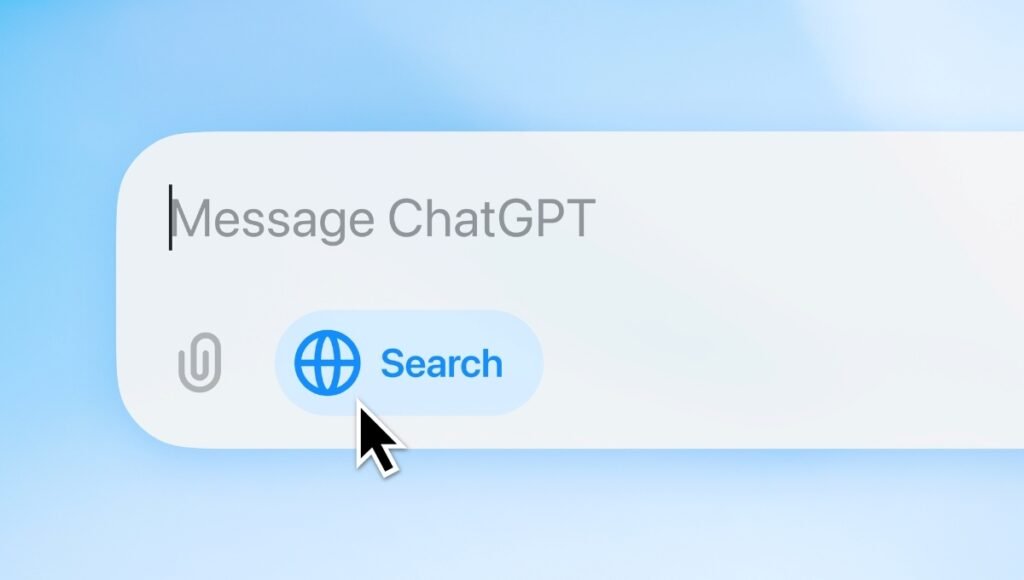
How to Upload and Image to Chatgpt
To upload an image to ChatGPT, follow these steps:
- Step 1: Open ChatGPT. On your mobile phone or computer, open up ChatGPT.
- Step 2: Start a Chat. Start a new chat or open an existing chat. Tap the Plus (+) button in Step 3.Tap Plus (+) button in Step 3. To upload, click the + button next to the message box.
- Step 4: Choose Your Picture. Select Photos, Upload File, or whichever button it has on your device.
- Step 5: Click to select the image.Click to choose or select the image. Select the image from your gallery or files to upload.
- Step 6: Enter your instructions. Once it has displayed the image in the chat, explain to ChatGPT what you want it to do. For example Remove the background, Improve the lighting, Replace the background or anything you want.
- Step 7: Send the Request
Tap the Send button and wait for ChatGPT to analyze or edit the image.
ChatGPT Plus Image Upload Limit
One of the frequently asked questions regarding ChatGPT Images is the limit on images that can be uploaded.
OpenAI doesn’t guarantee the exact number of images per Plus conversation, so it’s hard to tell the exact number. Depending on image size, text and existing restrictions, you will be able to upload a limited amount of images.
The max size of each image is 20MB.
No one can give it for granted that there are always 10, 20 or 50 images that can be uploaded in any conversation. The actual experience may differ as per the actual current limits applied to the account.
ChatGPT Image Upload Limits at a Glance
| Upload Factor | Information |
| Maximum individual image size | 20 MB |
| Supported formats | PNG, JPEG/JPG and non-animated GIF |
| Number of images | Depends on image size and other factors |
| Image analysis | Available |
| Image editing | Available |
| Mobile support | Yes |
| Web support | Yes |
If you have a limit on upload size or you’re getting an error loading the image, try shrinking the image to save space when sending multiple images or large images.
ChatGPT Image Generation Limit
The ChatGPT image generation limit is in addition to the traditional text-chat functionality. Although users can create images using ChatGPT, the use of images may come with its own limitations. Platforms typically limit free users in comparison to paid subscribers. If you hit any of the applicable image-generation limits, ChatGPT can return a message saying that you’ve reached the current limit and might need to wait to create more images. This doesn’t necessarily mean that an account with ChatGPT will grant unlimited access to image generation.
Does ChatGPT Generate pictures for Free?
Yes. Generating images with ChatGPT is free for everyone, but the amount of images you can generate may be limited compared to paid plans. In general, a paid plan like ChatGPT Plus will offer more usage quotas and advanced features. The number displayed in the ChatGPT account is likely to be a more accurate representation of your current usage limits, as OpenAI may adjust their limits over time, unlike the previous usage limits that were posted on third-party websites.
ChatGPT Plus vs Free for Image Generation
| Feature | Free | Plus |
| Image generation | Yes | Yes |
| Image editing | Yes | Yes |
| Image uploads | Yes | Yes |
| Usage limits | More restricted | Higher limits |
| Advanced capabilities | More limited | More access |
| Images with thinking | No | Yes |
The exact limits can change based on OpenAI’s current policies and system capacity.
Is ChatGPT’s image maker really good?
The ChatGPT image generator is proving to be a valuable tool for creating and editing detailed images. A major benefit is its ability to comprehend natural-language instructions. It’s not essential that you know the technical terms used to make images. You can state your desired outcome in natural language then further specify with additional instructions. For instance, if you have an image of a product, you could upload it and have ChatGPT remove the background, but keep the product itself the same.
What is possible with ChatGPT Images?
ChatGPT image generation can be used for a variety of different purposes.
- Social Media Graphics. Creators can think of ideas for posting on Instagram, creating graphics for Facebook and other social media, etc.
- YouTube Thumbnails. Thumbnail concepts can be generated by inputting the subject, design format, text and visual format.
- Marketing Materials. Ideas for promotion, ads and ideas for a campaign can be created for the business.
- Product Concepts. The entrepreneur can see a concept, before investing in professional design or photos.
- Educational Images. Students and teachers can generate illustrations and other visuals to aid in teaching and learning.
- Website Graphics. Webmasters and bloggers can generate customized graphics associated with their posts.
- Creative Projects. Artists and creators can use ChatGPT to explore different visual concepts and styles.
How to Write a Better ChatGPT Image Prompt
The quality of how instructive you are can make a big difference to the final image.
Rather than just writing: “Create a car.”
You can give a more specific guidance: Photorealistic futuristic electric SUV driving through a modern Indian city at sunset, cinematic lighting, detailed reflections, high quality automotive advertising photography and wide composition.
The second prompt provides the image generator with a lot more information.
Simple Prompt Formula
A helpful equation is:
The five elements of the landscape are: subject, environment, style, lighting, and composition.Five elements of the landscape: subject, environment, style, lighting, and composition.
For example:
Realistic photography style, shallow depth of field, a vertical composition, and a premium corporate atmosphere, create a professional portrait of a young entrepreneur in a modern office, soft natural lighting.
How to Edit an Existing Image
ChatGPT Images can also be used to edit existing images.
Upload an image and describe precisely what you want to alter.
For example:
“Cut the person out of the background – keep the main subject the same.”
Another example is:
Changing background to a modern office, leaving person’s appearance as is.
This is great for users who already have photos and want to make certain modifications.
ChatGPT Image Generator for Content Creators
Any content producer can utilize the image generator to develop visual possessions more rapidly. A blogger can make illustrations for articles and a YouTuber can come up with concepts for thumbnails. Social media managers can try a few of the creative ideas out before deciding on the final design. The best thing is that users can convey their ideas in everyday language without having to learn complex graphics design programs.
ChatGPT Image Generator for Businesses
In addition, AI image generation can also be applied to businesses when they are developing marketing strategies and creating new products.
Common uses include:
- Advertisement concepts
- Product mockups
- Social media creatives
- Website banners
- Presentation visuals
- Promotional posters
- Campaign concepts
- Brand ideas
Creators must carefully scrutinize generated images before publishing, particularly those depicting key product information, branding, numbers, or text.
Can ChatGPT Create Images From Text?
Yes. ChatGPT Images can generate visuals containing text.
For instance, you can ask:
Design a professional, contemporary coffee shop poster with the slogan “Fresh Coffee Every Morning.”
Providing the exact wording helps communicate what you want.
Businesses must carefully check important graphics for spelling and layout before publication.
Can ChatGPT Change the Aspect Ratio?
Yes. ChatGPT Images can create images in various formats and aspect ratios.
This may be beneficial for various content needs.
| Use Case | Suitable Format |
| Instagram post | Square |
| Instagram portrait | Vertical |
| YouTube thumbnail | Wide |
| Website banner | Wide |
| Profile picture | Square |
| Mobile wallpaper | Tall |
| Presentation graphic | Wide |
This may vary depending on the specific version of ChatGPT’s interface.
What is the directory for Generated images?
You can use the Images area in ChatGPT to create images using the ChatGPT. This enables users to view the ones that have been created and then utilize them. Uploaded and generated files are also available with ChatGPT’s Library features, depending on the type of file and account.
Limitations of ChatGPT Image Generator
While technology has come a long way, image generation is by no means flawless. In complex images, there may be visual errors.
- The small text often will be incorrect.
- It may be hard to make exact logos and branding.
- There is a limit to the usage of image generation and uploads.
- I may need several prompts and edits for results.
- It is helpful to create the general idea first and then use additional prompts to make smaller adjustments for greater control.
Tips for Getting Better Images
Here are some tips on how to improve your images:
- Be Specific. Use a very short prompt, or an explanation of what you want.
- Describe the Composition. Say what you want, close up, portrait, wide shot, landscape or another sort of composition.
- Specify the Style. Provide ChatGPT with a set of instructions that specify the desired visual style, such as “Realistic Photography,” “Illustrated,” “Cinematic,” “Minimalist Design,” or others.
- Give Exact Text. Include the exact words used in the image if it needs to include text.
- Take a gradual approach to making changes. If you need to make some changes to an image, ask for a few at once, rather than an image that has everything changed.
- The Final Result is checked. Remember to check the final photo, particularly if there is important text, numbers, product description and/or branding!
Conclusion
The ChatGPT image generator is an easy-to-use tool that allows users to create and modify images with natural language instructions. Users have the ability to create additional images, edit images, replace backgrounds, manipulate images with various elements, produce textual designs and rework existing images for various formats. It’s good for content makers, students, marketers, businesses, bloggers and anyone who needs to make their visuals without the traditional design software.
OpenAI currently does not have the same number that applies to every conversation, so if you’re looking for the ChatGPT Plus image upload limit, you will need to do more research. You can upload single images up to 20 MB, while total image limits depend on file sizes, accompanying content, and system restrictions.
Adopt clear prompts, describe desired composition and style, and make any edits step-by-step to achieve consistency. As ChatGPT’s image generation improves, it’s becoming an ever more useful tool in both creative and professional applications.
Frequently Asked Questions
A1. The ChatGPT image generator is an AI functionality that can generate images based on text prompts and edit images.
A2. There are no guaranteed numbers of images in each Plus conversation, publicly. The individual image size is limited to 20 MB and the number of images may be limited by the size of the image and other usage factors.
A3. Yes. Images can be created free, but the usage restrictions are typically less for free users compared to paid users.
A4. Yes. You can upload an image and include instructions describing the modifications you want.
A5. No single universal number exists that is permanent for all Plus users. Image-generation limits may vary; please visit ChatGPT’s account to confirm the limit.
Also Read: LM Studio: Complete Guide to Local AI Models and Offline LLMs